Getting Started
Getting Started
Everything you need to get QUI up and running on your machine.
How QUI Works
QUI has two parts: Mothership (the cloud hub) and QUI Core (your local machine). Understanding how they fit together takes about two minutes — and makes everything else click.
         ┌──────────────────────────┐
         │     QUI Mothership       │
         │       (qui.is)           │
         │                          │
         │  Authentication          │
         │  Billing                 │
         │  LLM Proxy Routing       │
         │  Federation Registry     │
         │                          │
         │  ✗ No conversation data  │
         │  ✗ No character data     │
         │  ✗ No file access        │
         └────────────┬─────────────┘
                      │
          ┌───────────┴───────────┐
          ▼                       ▼
   ┌──────────────┐      ┌──────────────┐
   │  QUI Core    │      │  QUI Core    │
   │  (Device A)  │      │  (Device B)  │
   │              │      │              │
   │  Characters  │      │  Characters  │
   │  Memory      │ P2P  │  Memory      │
   │  Workflows   │◄────►│  Workflows   │
   │  Conversations│      │  Conversations│
   └──────────────┘      └──────────────┘
QUI Mothership (qui.is)
Mothership is the hosted service at qui.is. You don't install it — you register an account and it connects automatically when you run QUI Core.
What it handles:
- One account, all devices — single identity across every QUI Core installation
- Billing — prepaid credit balance that can be applied to subscriptions and add-on features. Each LLM call reserves the estimated cost, charges actual usage, and refunds the difference. One balance covers all four providers
- LLM proxy routing — forwards your requests to Anthropic (Claude), OpenAI (GPT), Google (Gemini), or X (Grok). You never manage API keys directly
- Federation — lets characters on different QUI Core instances discover and message each other
What it does NOT handle:
- Storing conversations — zero-knowledge; content never touches the server
- Managing characters, memory, or workflows — that's all local
- Running AI models — generation happens at the provider or on your local machine
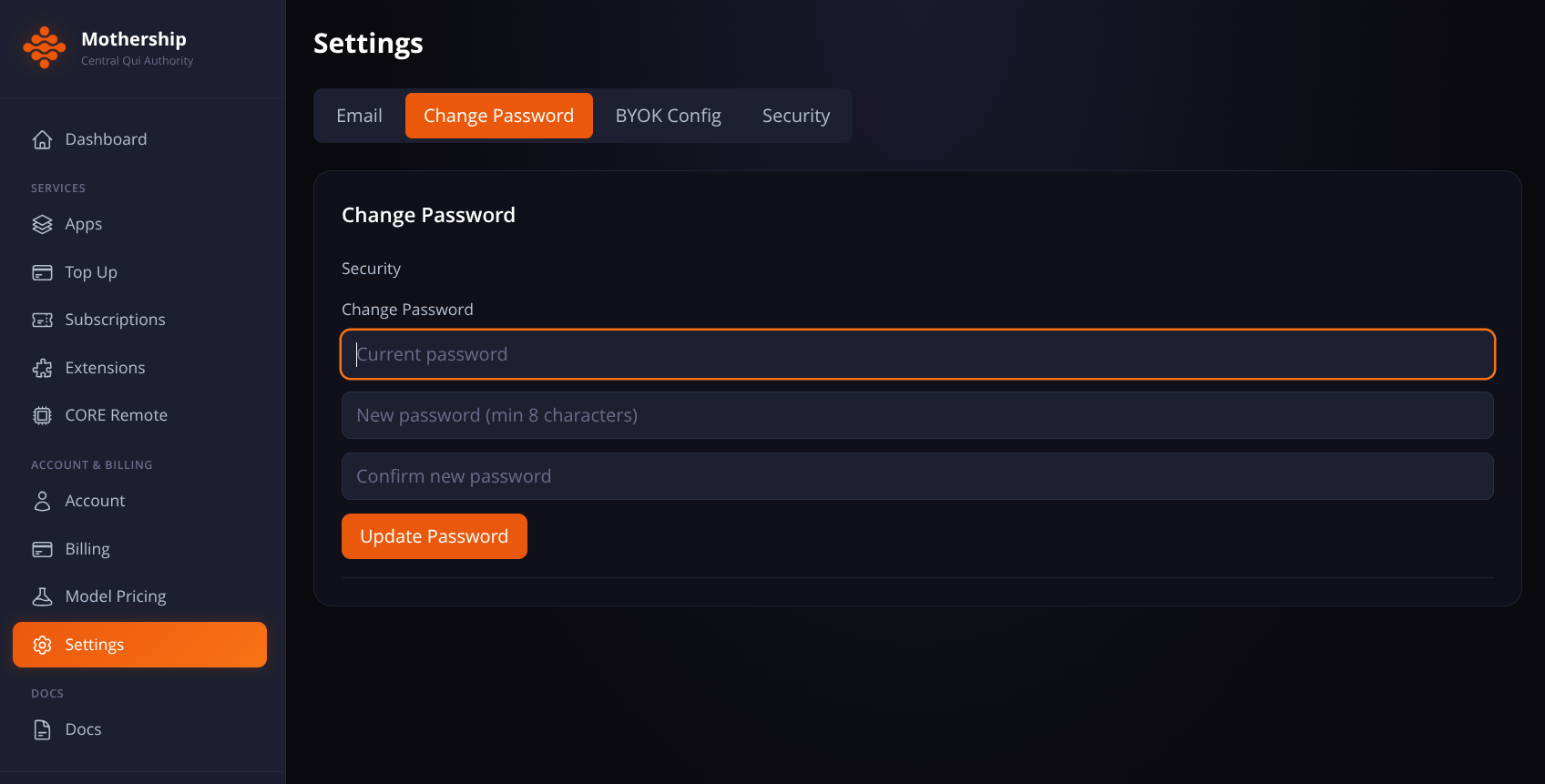
Changing password
- Login to the Mothership via qui.is.
- Go to Settings, Change Password.
QUI Core (Your Machine - local or VPS)
QUI Core is the local gateway that runs on your device. It's the dashboard where you manage everything — characters, services, memory, workflows, and settings.
What it handles:
- Local dashboard — manage characters, monitor services, built-in terminal and diagnostic tools
- Service orchestration — coordinates Anima (characters), Memory, ThinkThing (workflows), Cortex (consolidation), Autothink (reasoning), and 10+ more services
- LLM bridge — routes cloud requests through Mothership for billing, or directly to local models (Qllama) for fully offline operation
- Privacy boundary — all conversations, character data, and memory stay on your machine. Always
Core services at a glance:
| Service | What It Does |
|---|---|
| Anima | Character engine — personality, tools, LLM routing |
| Memory | Semantic memory with vector embeddings |
| ThinkThing | Visual workflow builder (143+ node types) |
| Strings | Chat interface — direct, multi-character, external channels |
| Cortex | Memory consolidation (8 modes) |
| Autothink | 14 thinking strategies for deep reasoning |
| Qonscious | Consciousness state machine |
| M2M | Inter-agent messaging and federation |
| Voice | Text-to-speech and speech-to-text |
| MCP Gateway | 165+ tool integrations |
In This Section
- Installation — System requirements, running the installer, post-install verification
- First Login — Opening the dashboard, trust scores, device linking
- Your Character — Setting up your own identity in the system
- Dashboard Tour — Every tab in the QUI Core dashboard explained
- Billing — How billing works, adding funds, spending limits, BYOK
Updated on Sep 9, 2026